

Using Administrative Functions in the Collections Database
- View All Accession Records
- View ACRL Statistics
- View Collection Acronyms
- Add a Genre
- Add an Oral History Metacollection
- Backup the Database
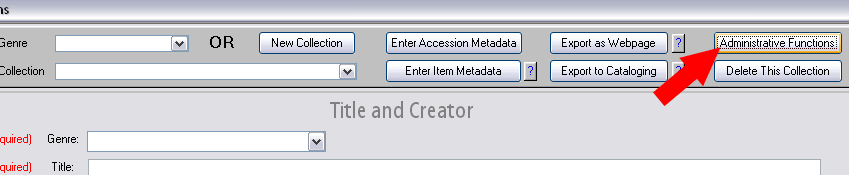
- To access the administrative functions menu in the
Collections database, click on the "Administrative
Functions" button in the Collections form.
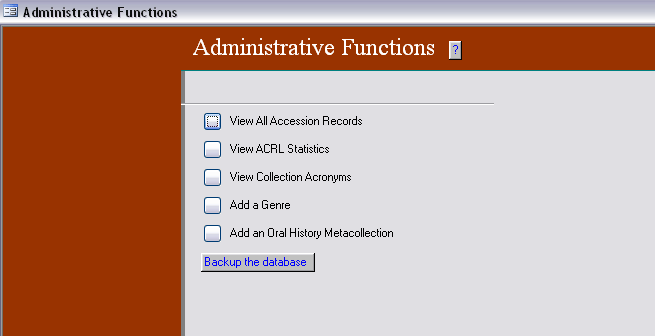
- The following screen will appear. The menu options are
described below.
View All Accession Records
This button opens a table showing all accession records, grouped by collection. Right-click on any column and choose "Sort Ascending" to sort by that column.

View ACRL Statistics
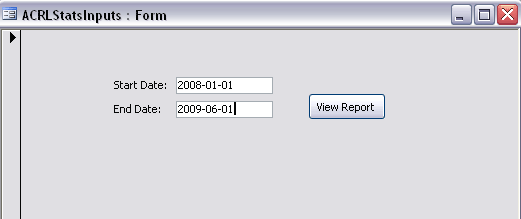
Use this button to generate a report showing ACRL statistics for a given time period.
- Enter the desired date range and click "View Report".
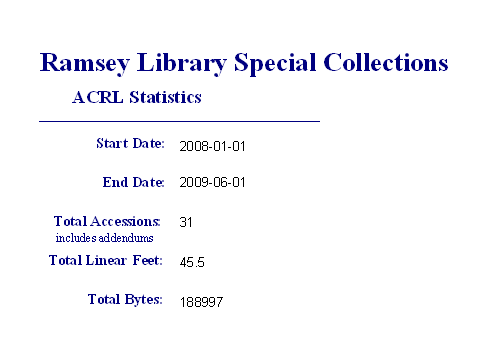
- The report shows the date range, total number of
accessions during the date range (including addendums),
total linear feet for all accessions during the date
range, and total bytes for all accessions during the date
range.
View Collection Acronyms
This button opens a list of current collection acronyms in the database. This is useful for looking up the acronym for a specific collection.
NOTE: The acronyms list is automatically generated. As soon as you enter the collection acronym in the Collections form of the database, it will also appear in the acronyms list. You do not need to separately enter the collection acronym in the acronyms list.
Add a Genre
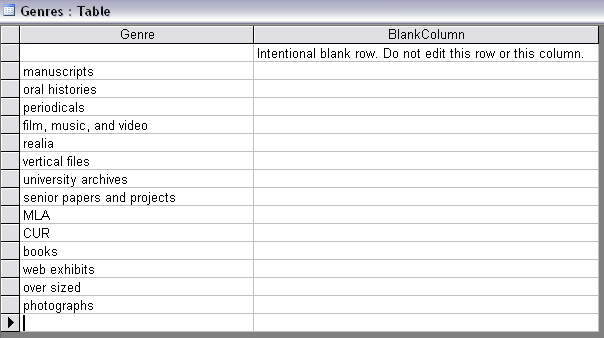
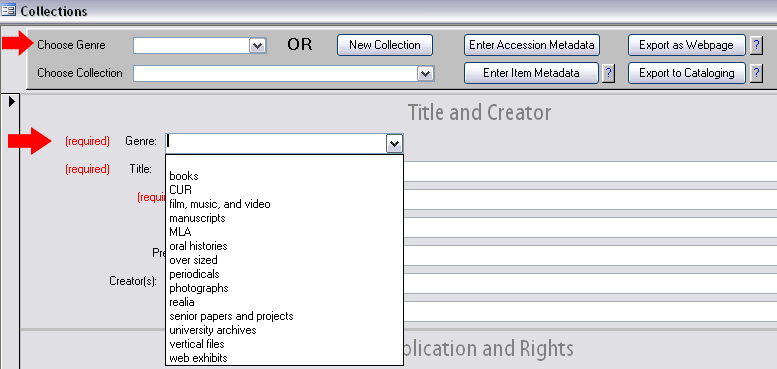
This button opens a table where you can define an additional genre. The added genre will appear in both the "Choose Genre" and "Genre" drop-down lists in the Collections form.
- Enter the new genre in the "Genre" column of the
table. Leave the right-hand column blank.
- The new genre will appear in the "Choose Genre" and
"Genre" drop-down lists.
Add an Oral History Metacollection
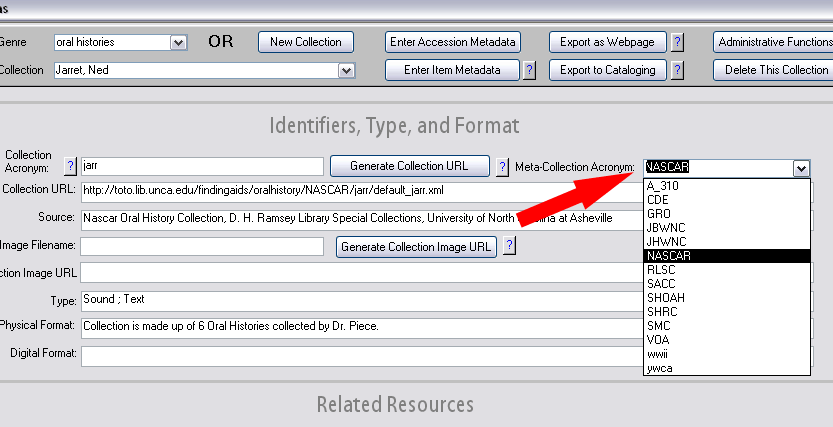
- Oral histories are grouped into broad families or "metacollections."
Examples of metacollections include "Voices of Asheville"
(VOA) and the "Sandy Mush Chronicles" (SMC). When entering
metadata for an oral history, a field is provided for
specifying the metacollection acronym (for example, "VOA"
or "SMC").
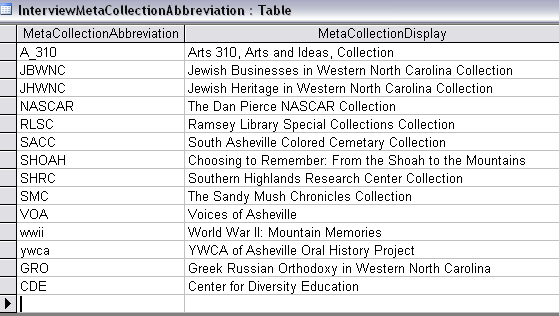
- To add a metacollection acronym to the drop-down list,
click on the "Add an Oral History Metacollection" button
in the "Administrative Functions" menu. In the table of
metacollections that opens, enter the metacollection's
acronym in the left-hand column and the name of the
metacollection in the right-hand column. The new
metacollection will now appear as an option in the
drop-down list on the Collections form.
Backup the Database
Instructions for backing up the database are provided here.