Install the Microsoft Access Collection Database on a New Workstation
When a Microsoft Access database is to be used by multiple users, recommended practice is to store the database tables on a shared server, but install the database forms, queries, and reports on each individual workstation and link them to the shared tables. In effect, each user enters data into forms installed on their own machine, but all data feeds into a common repository. This setup helps avoid collisions in the database between multiple users.
IMPORTANT: If changes to the design of the database are necessary, these changes should be made to the database that resides on the server, then the database should be re-installed on each workstation, using the steps below.
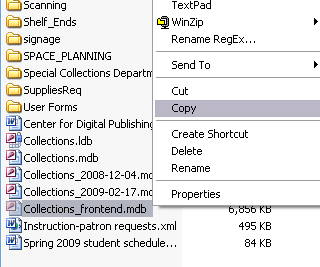
- Open My Network Places and browse to TOTO Data on
Spot > Admin_Special_Collections. Right-click on
Collections-frontend.mdb and choose "Copy".
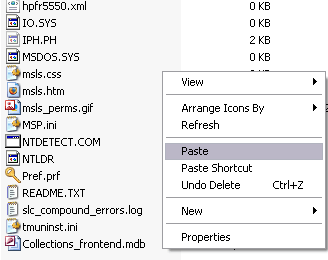
- Browse to My Computer > C:. Right-click and Paste
the database.
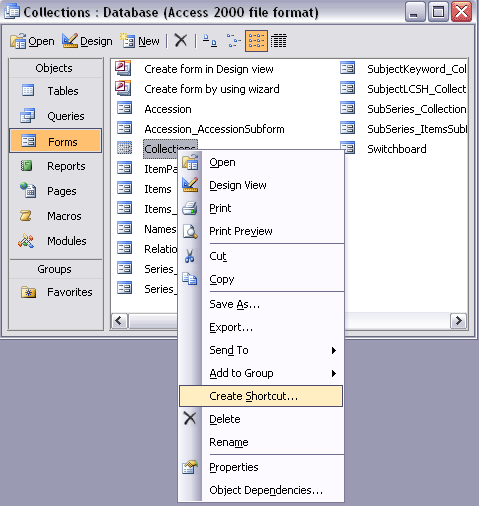
- Open the database you just pasted. Create a shortcut on the desktop to the main
Collections form. To do so, click Forms to open the Forms window,
right-click on Collections and click Create Shortcut.